8 min read
Choosing the Right AWS Storage Service
A beginner-friendly guide to Amazon S3 storage classes, EBS, EFS, FSx, and lifecycle rules, using a closet-versus-warehouse analogy to make the choices click.
Exam coverage — Domain 3: Cloud Technology and Services · Task Statement 3.6: Identify AWS storage services, storage classes, lifecycle policies, and AWS Backup.
Study path — Part 6 of 14 · Previous: Understanding AWS Networking Without Getting Lost · Next: AWS Databases: Picking the Right Tool for the Data
The problem this concept solves
Say you run a small photography business. You need fast access to last week's client photos, but you also have five years of old shoots you're legally required to keep, just in case a client ever asks for them again. Keeping everything on the same fast, expensive storage wastes money. Keeping everything on slow, cheap storage means today's clients wait too long for their photos to load. You need different kinds of storage for different jobs, and a way to move files between them automatically as they age. That's exactly what AWS storage services are built for.
What it means in plain English
AWS storage generally comes in three shapes. Object storage holds whole files — like photos, videos, or backups — as individual items, each with a unique address, similar to labeled boxes in a self-storage warehouse. Block storage breaks data into small, fixed-size chunks and works more like the internal hard drive in a computer — fast, and best suited for a single server that needs to read and write data constantly. File storage organizes data into folders and files that many computers can open and edit at the same time, like a shared drive at an office.
Important AWS services and features
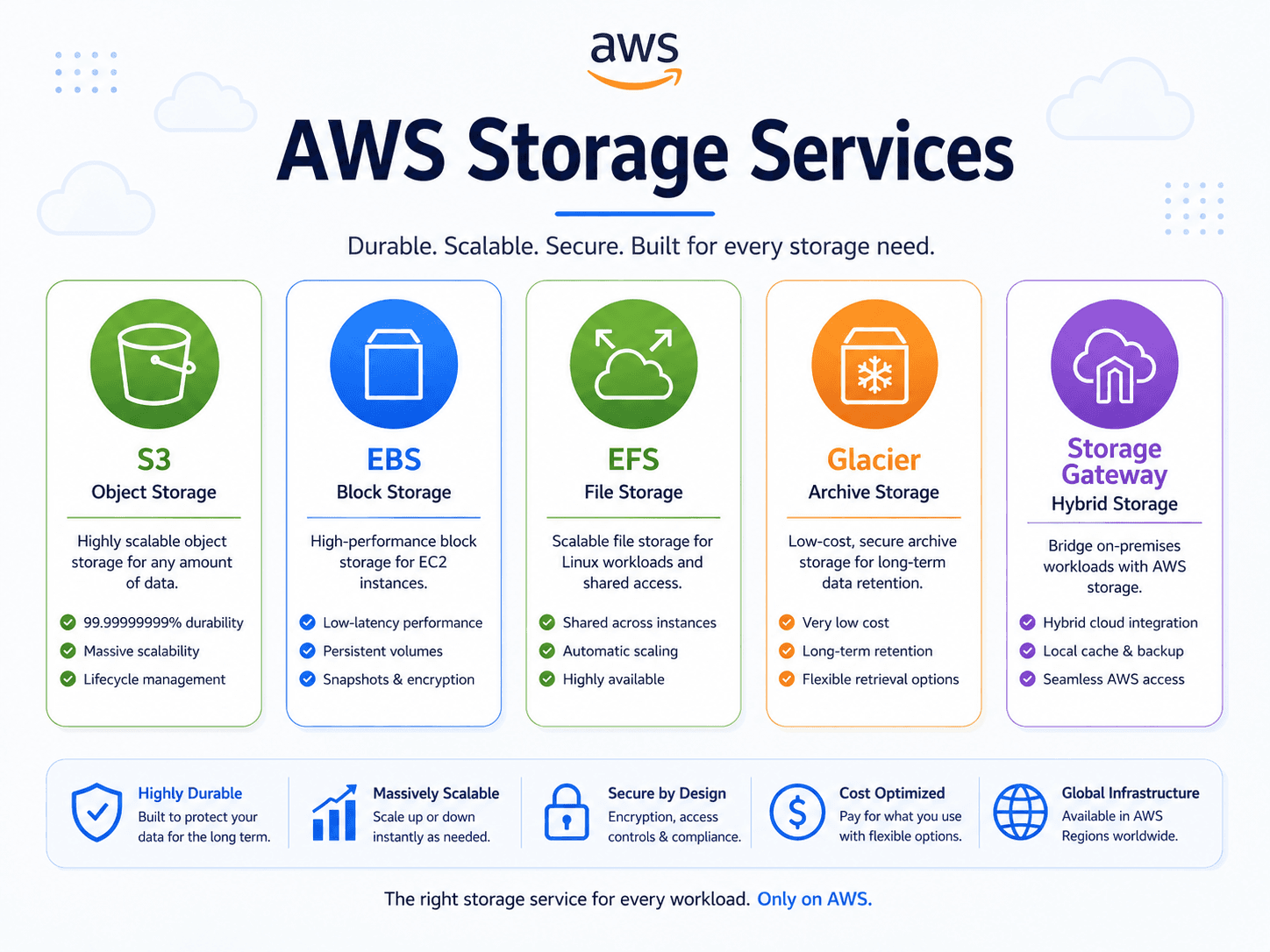
Amazon S3 (Simple Storage Service) is AWS's object storage service. You upload files into containers called "buckets," and each file gets a web address. S3 is a common choice for website images, backups, documents, and data files, because it's durable and doesn't require you to manage any servers.
S3 offers several storage classes, which are pricing and access tiers for the same underlying service. S3 Standard suits frequently accessed data. Infrequent Access classes cost less to store but charge a bit more to retrieve, fitting files you keep but rarely open. Archive-tier classes cost the least to store but take longer to retrieve — a fit for old records kept for compliance. The right class depends on access frequency, not just age.
S3 lifecycle rules automate the move between classes. You can set a rule like "move files to an infrequent-access class after 30 days, then to an archive class after 180 days," so you don't have to track file ages by hand. S3 versioning keeps every version of a file when it changes, protecting against accidental overwrites or deletions. S3 replication automatically copies objects to another bucket, which can support backup or Regional redundancy goals.
Amazon EBS (Elastic Block Store) provides block storage volumes that attach to a single EC2 (Elastic Compute Cloud) virtual server, much like an internal hard drive. It's a common choice when an application needs consistent, low-latency read and write access, such as a database running on a virtual server.
Amazon EFS (Elastic File System) provides file storage that multiple EC2 instances can mount and use at the same time, similar to a shared network drive. It fits situations where several servers need access to the same set of files, like a content management system running on multiple web servers.
Amazon FSx provides managed file systems built on specific, well-known file system technologies, useful when an application expects a particular file system type.
AWS Storage Gateway connects an on-premises environment (a company's own physical servers) to AWS storage. It keeps frequently used files cached locally for fast access while older data lives in the cloud — useful during a gradual move to AWS.
A practical example
Consider a hypothetical company, Lakeside Realty Photos. New listing photos go into an S3 bucket using the S3 Standard class, since agents and buyers view them constantly during an active listing. A lifecycle rule moves each listing's photos to an infrequent-access class 90 days after the listing closes, since they're rarely viewed after that. After two years, the same rule moves those photos to an archive class, since compliance requires the company to keep records but almost nobody looks at them. Meanwhile, the company's internal booking application runs on an EC2 instance backed by an EBS volume, and its shared editing files live on EFS so multiple editors can access the same folder at once.
Do not confuse these concepts
- Amazon S3 is object storage — whole files with unique addresses, not tied to one server.
- Amazon EBS is block storage — a virtual hard drive attached to one EC2 instance at a time.
- Amazon EFS is file storage — a shared folder structure that many instances can use simultaneously.
Cloud Practitioner exam connection
Expect to be tested on matching a scenario to the right storage type: object storage for independent files, block storage for a single server's fast disk needs, and file storage for shared access across multiple servers. You should also recognize why lifecycle rules exist — they reduce cost by matching storage class to access frequency, not just to age. Treat exact pricing for storage classes as something to verify against current AWS documentation, since prices and class names can change.
Quick recall
| Service | Storage type | Pick it when the scenario says |
|---|---|---|
| Amazon S3 | Object | "files," "images," "backups," "static website," "data lake," "virtually unlimited" |
| Amazon EBS | Block | "disk attached to one EC2 instance," "boot volume," "low-latency disk" |
| Amazon EFS | File | "shared file system," "many Linux instances at once," "grows automatically" |
| Amazon FSx | File | Named file systems — "Windows File Server," "Lustre," "NetApp" |
| Instance store | Block | "temporary," "scratch," "cache" — data is lost when the instance stops |
| AWS Storage Gateway | Hybrid | "on-premises servers need cloud storage," "hybrid" |
| AWS Backup | Management | "centrally manage backups across many AWS services" |
| S3 storage class | Best for | Trade-off |
|---|---|---|
| S3 Standard | Frequently accessed data | Highest storage cost, no retrieval fee |
| S3 Intelligent-Tiering | Unknown or changing access patterns | Small monitoring fee, moves objects automatically |
| S3 Standard-IA / One Zone-IA | Infrequent access, still needs fast retrieval | Cheaper storage, but you pay a retrieval fee |
| S3 Glacier tiers | Archives and compliance retention | Cheapest storage, retrieval takes minutes to hours |
Common exam traps
- Object versus block versus file is the core storage question. S3 stores whole objects and is reached over the network by API. EBS is a disk for one instance. EFS is a shared folder for many instances. Sort every storage question into one of those three first.
- Intelligent-Tiering is the answer for "unknown" or "unpredictable" access patterns. If the question says the team does not know how often data will be read, stop looking at the other classes.
- Instance store data disappears. It is ephemeral. Any scenario needing data to survive a stop or a failure points to EBS or S3.
- Durability is not availability. S3 is designed for extremely high durability (your object will not be lost) which is a different promise from availability (you can reach it right now).
- Lifecycle policies move data automatically; they are not a backup product. Scenarios about aging data into cheaper classes point to lifecycle rules. Scenarios about centrally managing backup schedules across services point to AWS Backup.
- One Zone-IA stores data in a single Availability Zone. Cheaper, but it does not survive that AZ being lost — so it is wrong for anything irreplaceable.
- S3 Glacier is not "slow S3." It is archival. If a scenario needs data back in milliseconds, Glacier is a distractor.
Key takeaways
- Match the storage type to the job: object storage for independent files, block storage for a single server's disk, file storage for shared folders.
- S3 storage classes trade retrieval speed and cost against storage cost, and lifecycle rules can move data between them automatically.
- EBS attaches to one instance, while EFS can be shared across many instances at once.
Check your understanding
- Why might a company move old files to an S3 archive-tier storage class instead of deleting them?
- What is the main difference between Amazon EBS and Amazon EFS?
- When would AWS Storage Gateway be a useful choice?
Suggested answers
- The company may need to retain the files for compliance or legal reasons, even though they're rarely accessed, and archive-tier storage costs less than keeping them in a frequently-accessed class.
- EBS is block storage attached to a single EC2 instance, like an internal hard drive. EFS is file storage that multiple instances can access and share at the same time.
- When a business wants to connect its on-premises environment to AWS storage, keeping frequently used files cached locally while less-used data lives in the cloud, often during a gradual migration.
Continue learning
This blog series is an independent study resource and does not replace the official AWS exam guide or hands-on practice.