7 min read
AWS Databases: Picking the Right Tool for the Data
A plain-English walkthrough of RDS, Aurora, DynamoDB, and database migration tools, using a filing-cabinet-versus-sticky-notes analogy to explain when each fits.
Exam coverage — Domain 3: Cloud Technology and Services · Task Statement 3.4: Identify AWS database services and database migration tools.
Study path — Part 7 of 14 · Previous: Choosing the Right AWS Storage Service · Next: A Beginner's Guide to AI and Data Services on AWS
The problem this concept solves
Imagine you're building an online store. You need somewhere to reliably store customer orders, with clear relationships between customers, orders, and products. You also need somewhere to store shopping-cart data that changes constantly and needs to respond almost instantly, for thousands of shoppers at once. A single database rarely does both jobs equally well, which is why AWS offers several different database services instead of just one.
What it means in plain English
Think of a relational database like a set of filing cabinets with clearly labeled folders that reference each other — a "customers" folder, an "orders" folder, and rules connecting which orders belong to which customer. Relational databases organize data into tables with defined relationships, and they use structured query language (SQL) to search and update that data. They're a strong fit when your data has clear structure and relationships that matter, like financial records or inventory systems.
A nonrelational database (often called NoSQL) is more like a pile of sticky notes, each one self-contained, without requiring a fixed structure ahead of time or rigid relationships between notes. This flexibility often allows very fast reads and writes at large scale, which suits data like a shopping cart, a user session, or a chat message log.
Important AWS services and features
Amazon RDS (Relational Database Service) is a managed relational database service. AWS handles routine tasks like patching, backups, and hardware maintenance, so you can focus on your data and application instead of database administration. RDS supports several familiar database engines.
Amazon Aurora is AWS's own relational database engine, built to be compatible with two popular open-source engines while aiming for higher performance and availability than typical self-managed setups. Aurora is a common choice when an application already expects a standard relational database but needs more throughput or resilience.
Amazon DynamoDB is AWS's managed NoSQL database. It stores data as flexible items rather than rigid table rows, and it's built to handle very high request volumes with consistently fast response times. DynamoDB fits use cases like shopping carts, gaming leaderboards, or session data, where speed and flexible structure matter more than complex relationships between tables.
Amazon ElastiCache is a managed in-memory caching service. Instead of storing data on disk, it keeps frequently requested data in memory (temporary, ultra-fast storage), which can reduce the load on your main database and speed up repeated requests, like looking up a product page that many shoppers view at once.
Amazon Redshift is AWS's data warehouse service, built for a different job than the databases above: analyzing large volumes of historical data, such as running reports across years of sales records. Rather than handling constant small transactions, Redshift is optimized for scanning and summarizing large datasets.
When a company needs to move data from an existing database into AWS, two tools help. AWS Database Migration Service (DMS) copies data from a source database to a target database, and it can keep the source running with minimal downtime during the move. AWS Schema Conversion Tool (SCT) helps convert a database's structure, or "schema," when moving between different database engines — for example, from a commercial database engine to an open-source one.
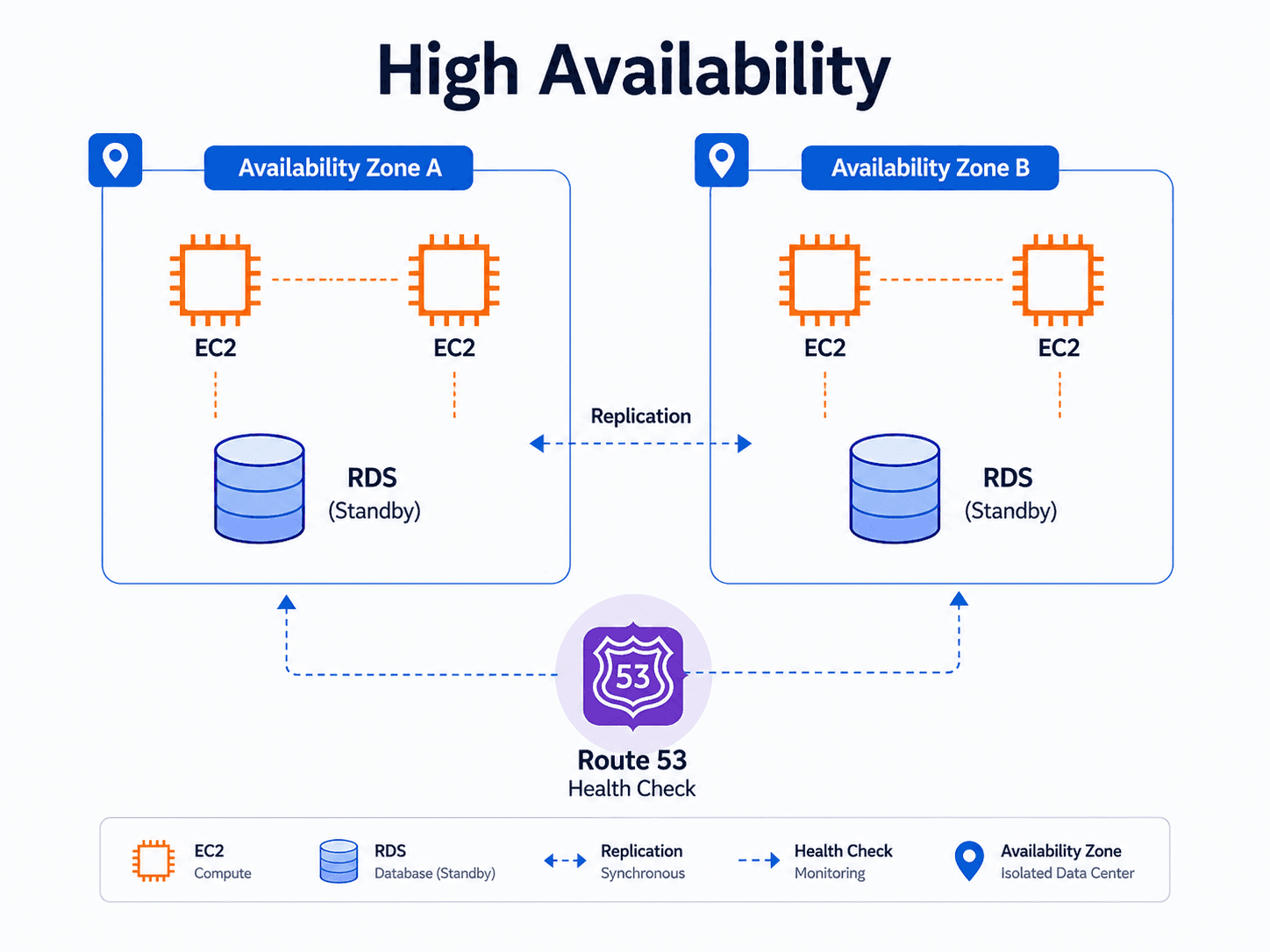
For availability and performance, two features matter. A Multi-AZ deployment keeps a standby copy of your database running in a different Availability Zone, ready to take over automatically if the primary database fails — its main purpose is improving availability. A read replica is a separate, additional copy of your database that handles read-only queries, taking traffic away from the primary database — its main purpose is improving read performance and scalability. A database can use either feature, or both, depending on the goal.
A practical example
Consider a hypothetical company, Northwind Outfitters, running an online store. Customer accounts and order history live in Amazon Aurora, since those records have clear relationships and need consistent accuracy. Shopping-cart contents live in DynamoDB, since carts change rapidly and don't need complex relationships. During a big sale, the team notices repeated database queries for the same popular products, so they add ElastiCache in front of Aurora to serve those repeated lookups faster. At the end of each quarter, the team loads historical order data into Redshift to build sales reports.
Do not confuse these concepts
- Multi-AZ deployment mainly improves availability, by keeping a ready standby copy in another Availability Zone.
- Read replica mainly improves read performance and scalability, by offloading read queries from the primary database.
- Amazon Redshift is for data warehousing and analytics, not for handling everyday application transactions.
Cloud Practitioner exam connection
The exam expects you to distinguish relational databases (RDS, Aurora) from nonrelational databases (DynamoDB), and to recognize Redshift as the data warehousing and analytics option rather than a general-purpose transactional database. You should also be able to tell Multi-AZ deployments and read replicas apart by their primary purpose — availability versus read performance — since exam questions often test exactly that distinction.
Quick recall
| Service | Type | Pick it when the scenario says |
|---|---|---|
| Amazon RDS | Relational (managed) | "SQL," "MySQL / PostgreSQL / Oracle / SQL Server," "managed relational" |
| Amazon Aurora | Relational (AWS-built) | "MySQL- or PostgreSQL-compatible" plus "higher performance" |
| Amazon DynamoDB | NoSQL key-value | "NoSQL," "single-digit millisecond," "serverless," "massive scale," "flexible schema" |
| Amazon ElastiCache | In-memory cache | "cache," "reduce database load," "Redis or Memcached" |
| Amazon MemoryDB | In-memory database | In-memory but also durable |
| Amazon Redshift | Data warehouse | "data warehouse," "analytics," "business intelligence," "queries across huge history" |
| Amazon Neptune | Graph | "relationships between things," "social network," "fraud rings" |
| EC2-hosted database | Self-managed | "full control of the database engine or operating system" |
| Migration tool | What it does |
|---|---|
| AWS DMS | Migrates databases, often keeping the source running with little downtime |
| AWS Schema Conversion Tool | Converts a schema when moving between different database engines |
Common exam traps
- Multi-AZ versus read replica is the most tested database pair. Multi-AZ is about availability (a standby copy that takes over during failure). A read replica is about performance (extra copies that serve read traffic). If the question says "improve read performance," Multi-AZ is wrong, and vice versa.
- Redshift is not a regular database. It is a data warehouse for analytics over large history. Scenarios about live application transactions point to RDS, Aurora, or DynamoDB.
- DynamoDB is serverless; RDS is not. If a question pairs "NoSQL" with "no servers to manage," DynamoDB is the answer.
- ElastiCache does not replace your database. It sits in front of one to speed up repeated reads.
- Managed does not mean AWS handles your data. With RDS, AWS patches and backs up the engine, but you still control access, encryption settings, and what data goes in. This is the shared responsibility model shifting, not disappearing.
- DMS moves the data; SCT converts the schema. You only need SCT when the source and target engines differ.
Key takeaways
- Relational databases like RDS and Aurora suit structured data with clear relationships; DynamoDB suits flexible, high-speed, high-scale data.
- Multi-AZ deployments protect availability; read replicas improve read performance and scalability.
- AWS DMS and AWS SCT support moving existing databases into AWS, handling data migration and schema conversion respectively.
Check your understanding
- Why might a shopping cart feature use DynamoDB instead of a relational database?
- What is the main difference between a Multi-AZ deployment and a read replica?
- When would a company use Amazon Redshift instead of Amazon RDS?
Suggested answers
- Shopping-cart data changes constantly, doesn't need complex relationships to other tables, and needs very fast, flexible access at scale — a good fit for DynamoDB's NoSQL model.
- A Multi-AZ deployment mainly improves availability with a standby copy ready to take over on failure. A read replica mainly improves read performance by offloading read queries from the primary database.
- Redshift fits data warehousing and analytics work, like running reports across large volumes of historical data, rather than handling routine application transactions.
Continue learning
This blog series is an independent study resource and does not replace the official AWS exam guide or hands-on practice.