8 min read
How AWS Helps Protect Networks, Data, and Accounts
A plain-English guide to the Shared Responsibility Model, IAM, encryption, and threat-detection tools like GuardDuty, built around a neighborhood-watch analogy.
Exam coverage — Domain 2: Security and Compliance · Task Statements 2.1 (shared responsibility model), 2.2 (security and compliance concepts), and 2.4 (security components). Domain 2 is 30% of your scored exam — the heaviest domain, so give this article and Monitoring and Governance extra passes.
Study path — Part 9 of 14 · Previous: A Beginner's Guide to AI and Data Services on AWS · Next: Keeping AWS Accountable: Monitoring and Governance Tools
The problem this concept solves
Imagine your team just launched an application on AWS, and a coworker asks: "if something goes wrong, whose fault is it — ours, or Amazon's?" It's a fair question, and a common source of confusion for people new to cloud security. AWS runs enormous, secure data centers, but that doesn't mean your data is automatically safe. Understanding who is responsible for what, and which tools help with each responsibility, is the foundation of using AWS securely.
What it means in plain English
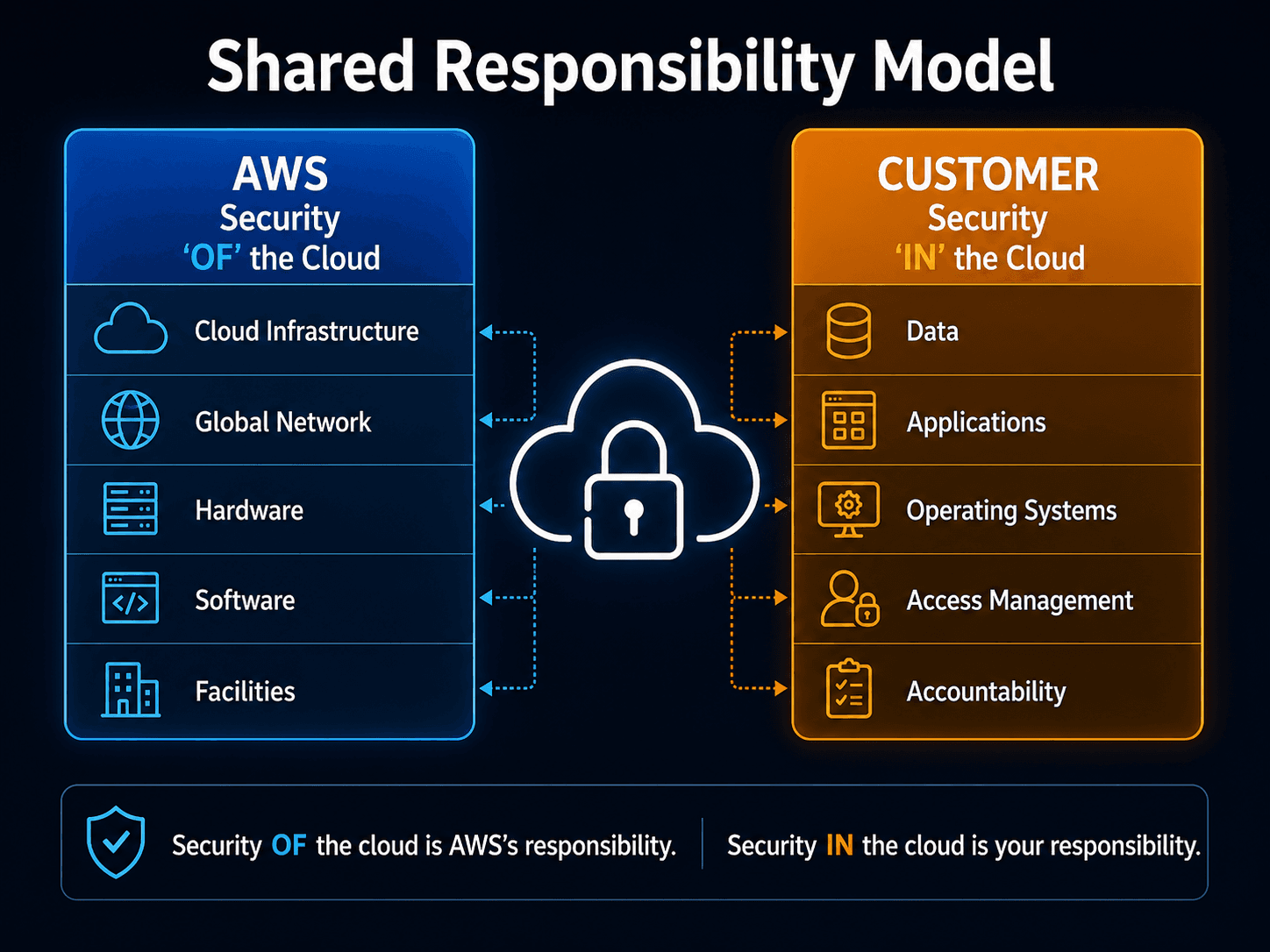
AWS security starts with the Shared Responsibility Model, which divides security duties between AWS and the customer. AWS is responsible for security of the cloud — the physical data centers, the hardware, and the underlying infrastructure that runs every AWS service. You, the customer, are responsible for security in the cloud — things like who can access your account, how your data is encrypted, and how your applications are configured. Think of it like renting an apartment: the building owner secures the property, locks the main entrance, and maintains the structure, but you're still responsible for locking your own door and deciding who gets a key. Exactly where that line falls can shift depending on the service — for example, AWS manages more of the underlying system for a fully managed service than it does for a virtual server you configure yourself.
Important AWS services and features
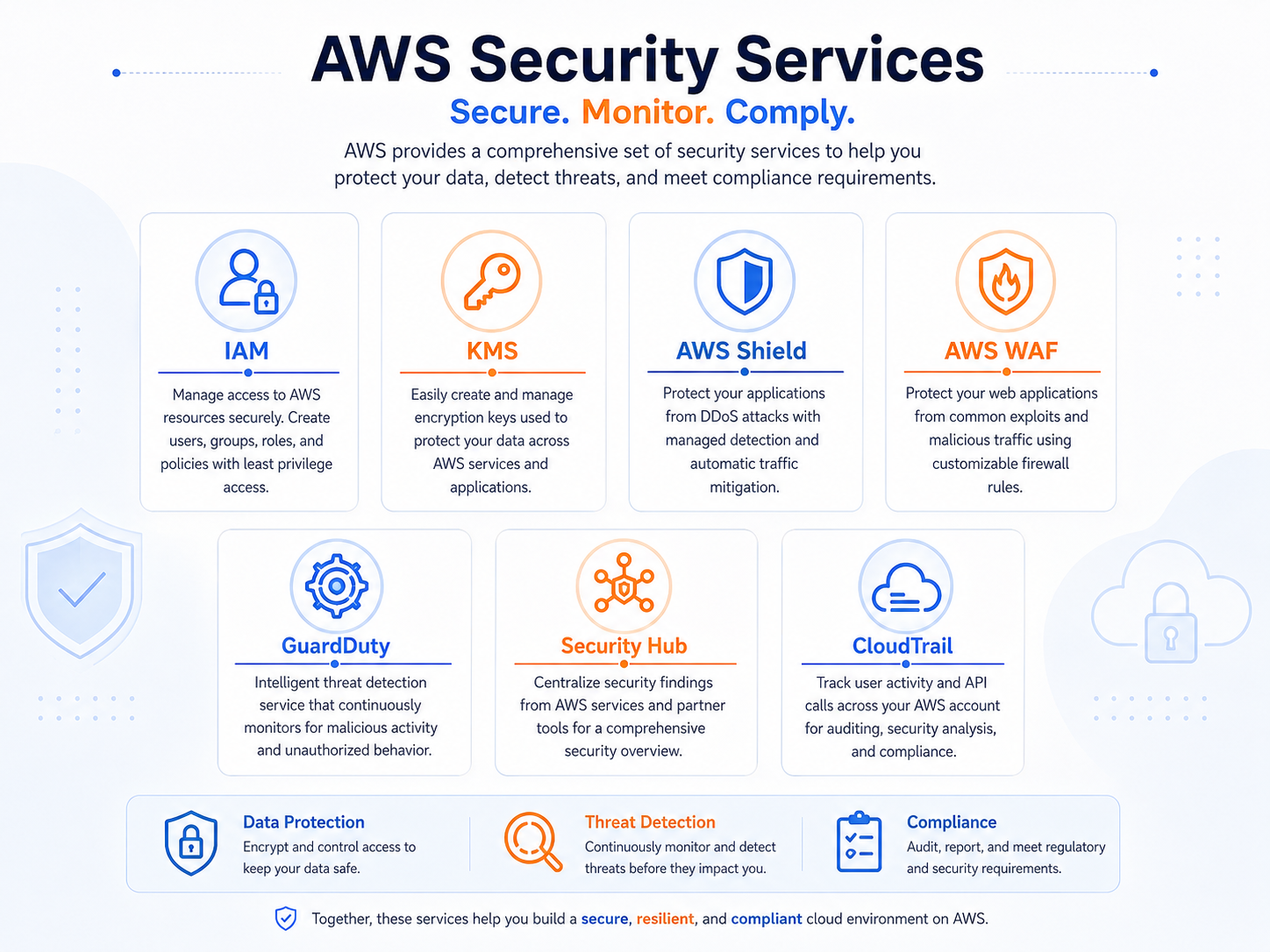
AWS Identity and Access Management (IAM) controls who can do what in your AWS account. IAM users represent individual people or applications. IAM groups collect related users together, making permissions easier to manage. IAM roles are temporary sets of permissions that can be assumed by a user, application, or AWS service, rather than tied permanently to one identity. Policies are the documents that actually define what's allowed — attached to users, groups, or roles.
The guiding rule behind all of this is least privilege: give each person or system only the access it needs to do its job, and nothing more. If a marketing intern's account only needs to view a dashboard, it shouldn't also have permission to delete databases. AWS also strongly recommends multi-factor authentication (MFA), which requires a second proof of identity beyond a password, such as a code from a phone app, making it much harder for a stolen password alone to compromise an account.
For protecting applications from outside threats, AWS Shield helps defend against distributed denial-of-service (DDoS) attacks, where an attacker floods a system with traffic to knock it offline. AWS WAF (Web Application Firewall) filters incoming web requests, blocking patterns associated with common attacks before they reach your application. The two work at different points: Shield defends against traffic floods, while WAF inspects the content of individual requests.
Encryption protects data by converting it into unreadable form without the right key. AWS distinguishes encryption in transit (protecting data as it moves across a network) from encryption at rest (protecting data while it's stored). AWS Key Management Service (KMS) helps create and control the encryption keys used across your AWS resources, so you can manage who has the ability to encrypt or decrypt data.
For spotting problems, three services work together.
Amazon GuardDuty continuously monitors your account for suspicious activity, like unusual API calls or traffic patterns that suggest a compromised resource. Amazon Inspector scans resources such as virtual servers and container images for known software vulnerabilities. Amazon Macie scans data stored in S3 to help identify sensitive information, like personal data, that may need extra protection. AWS Security Hub brings findings from these and other services into one central dashboard, so a security team isn't checking several separate tools to get the full picture.
A practical example
Consider a hypothetical company, Fernbrook Analytics. One night, GuardDuty detects unusual access patterns on an EC2 instance, suggesting it may have been compromised. That finding automatically appears in Security Hub, alongside other security signals from across the account. The security team investigates, confirms the instance was misconfigured with overly broad permissions, and responds by revoking the affected IAM role's access and applying a corrected, least-privilege policy. Afterward, the team runs Amazon Inspector to check whether related instances share the same vulnerability, and reviews MFA requirements for the affected account.
Do not confuse these concepts
- AWS WAF filters individual web requests for malicious patterns.
- AWS Shield helps defend against distributed denial-of-service attacks that flood a system with traffic.
- Amazon GuardDuty detects suspicious activity and potential threats across your account, rather than filtering traffic directly.
Cloud Practitioner exam connection
The exam expects you to explain the Shared Responsibility Model in general terms — AWS secures the cloud infrastructure, while the customer secures what they put in the cloud — and to recognize that this split can shift depending on the service. You should also be able to distinguish WAF, Shield, and GuardDuty by what each one actually does, since questions often test exactly that kind of comparison rather than deep configuration detail.
Quick recall
| Who is responsible | Examples |
|---|---|
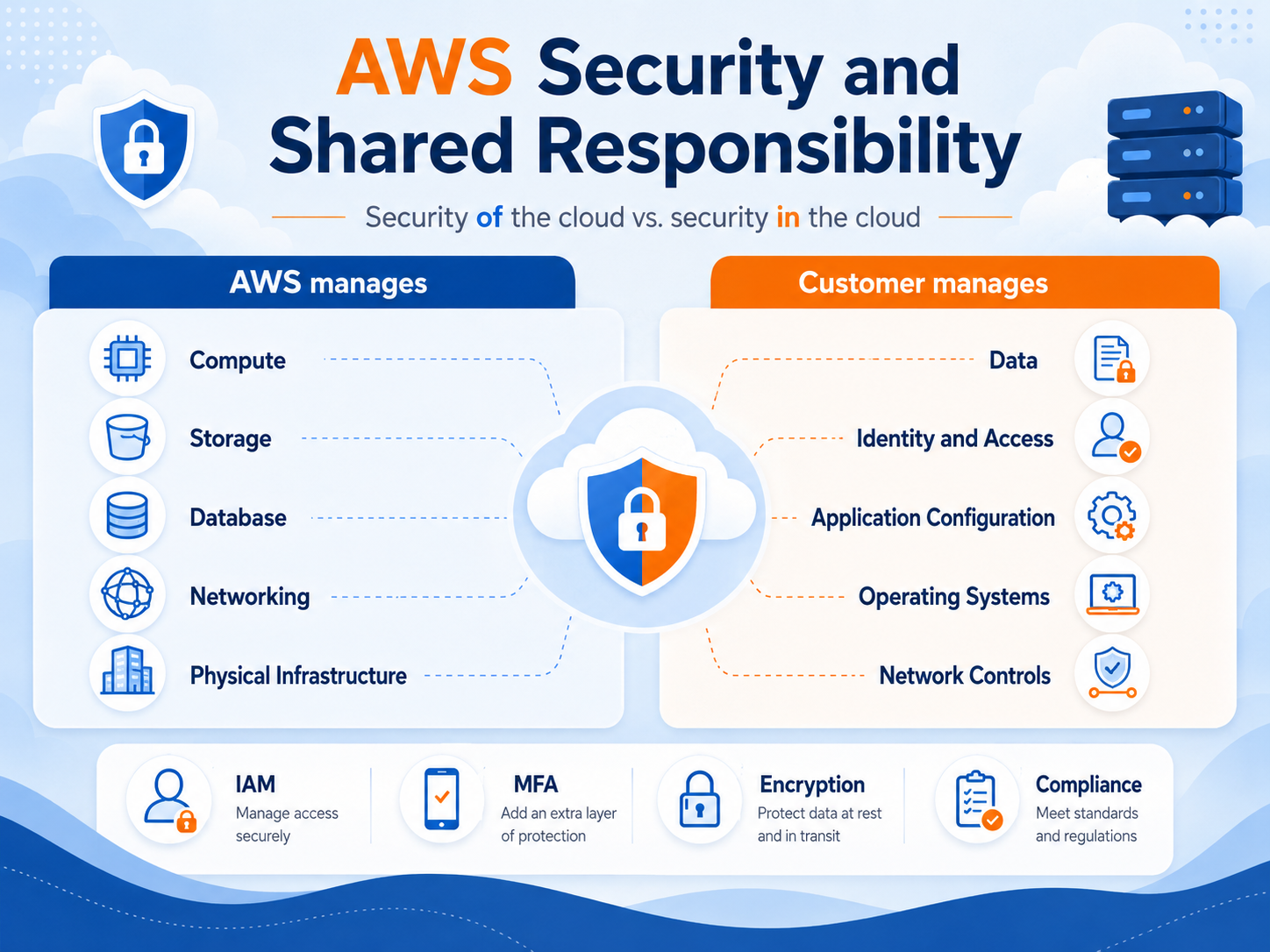
| AWS — security of the cloud | Physical data centers, hardware, the virtualization layer, the global network |
| You — security in the cloud | Your data, IAM users and permissions, encryption choices, security group rules, operating system patching on EC2 |
| Shared | Patch management, configuration management, awareness and training |
The line moves depending on the service. On EC2 you patch the operating system. On RDS AWS patches the database engine, but you still manage access and data. On Lambda AWS handles nearly all of the infrastructure, and you are left with your code, its permissions, and its data.
| Service | Its one job |
|---|---|
| AWS IAM | Who can do what — users, groups, roles, policies |
| IAM Identity Center | Single sign-on across multiple AWS accounts |
| AWS Shield | Defends against DDoS attacks |
| AWS WAF | Filters malicious web requests such as SQL injection |
| Amazon GuardDuty | Detects suspicious activity and threats |
| Amazon Inspector | Scans workloads for software vulnerabilities |
| Amazon Macie | Discovers and protects sensitive data in S3 |
| AWS Security Hub | Centralizes findings from the other security services |
| AWS KMS | Creates and manages encryption keys |
| AWS Secrets Manager | Stores and rotates passwords, API keys, and credentials |
| AWS Artifact | Self-service access to AWS compliance reports |
Common exam traps
- "Of the cloud" versus "in the cloud" decides a lot of Domain 2 questions. AWS secures the infrastructure; you secure your configuration and data. Physical security is always AWS. Your IAM permissions are always you.
- Shield versus WAF. Shield is for DDoS (traffic floods). WAF is for malicious requests (SQL injection, cross-site scripting). The words "denial of service" mean Shield.
- GuardDuty versus Inspector versus Macie. GuardDuty detects threat activity. Inspector finds vulnerabilities in workloads. Macie finds sensitive data in S3. Three different questions.
- Security Hub does not detect anything itself. It aggregates findings. If a scenario asks for one place to see everything, that is Security Hub.
- Artifact is documents, not defense. It is where you download compliance reports such as SOC and ISO. It does not secure anything.
- AWS never accesses your data to secure it for you. Encryption at rest and in transit is available, but you choose to enable and configure it.
- Least privilege means starting with no permissions and adding only what is needed — not starting with admin access and removing things later.
Key takeaways
- The Shared Responsibility Model splits security duties: AWS secures the cloud infrastructure, and you secure what you configure and store within it.
- IAM, least privilege, and MFA form the foundation of controlling who can access your AWS account and what they can do there.
- GuardDuty, Inspector, and Macie each detect different kinds of risk, and Security Hub brings their findings together in one place.
Check your understanding
- In the Shared Responsibility Model, who is responsible for securing the physical data center, and who is responsible for configuring account permissions correctly?
- What is the difference between AWS Shield and AWS WAF?
- Why does Security Hub matter if GuardDuty, Inspector, and Macie already produce their own findings?
Suggested answers
- AWS is responsible for the physical data center and underlying infrastructure (security of the cloud). The customer is responsible for configuring account permissions correctly (security in the cloud).
- AWS Shield helps defend against distributed denial-of-service attacks that flood a system with traffic. AWS WAF filters individual web requests for patterns associated with common attacks.
- Security Hub centralizes findings from multiple services into one dashboard, so a security team can see the full picture without checking each tool separately.
Continue learning
This blog series is an independent study resource and does not replace the official AWS exam guide or hands-on practice.