7 min read
Amazon EC2: Renting a Computer in the AWS Cloud
A beginner-friendly explanation of Amazon EC2, virtual servers, and the different ways you can pay for compute power on AWS.
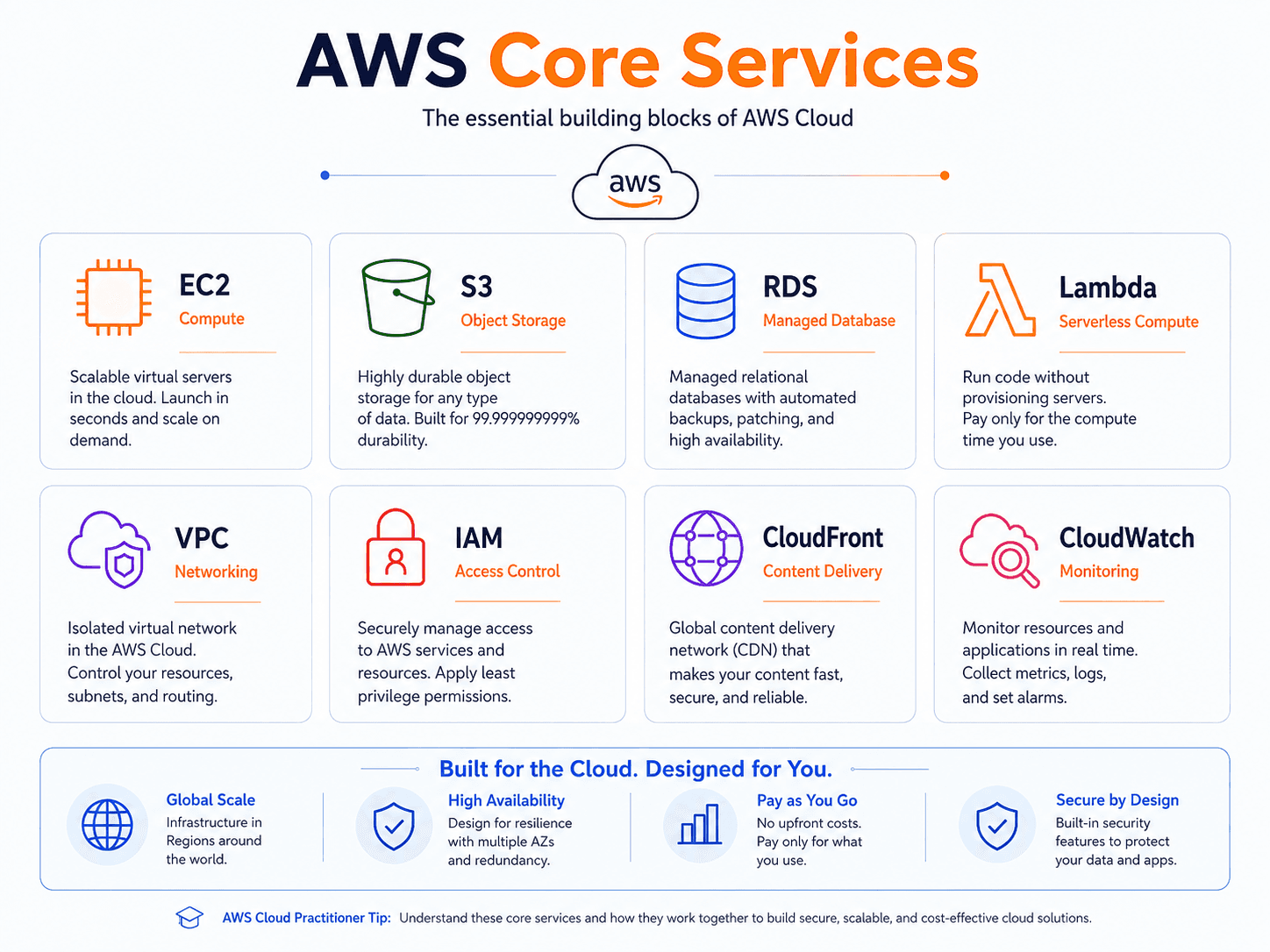
Exam coverage — Domain 3: Cloud Technology and Services · Task Statement 3.3: Identify AWS compute services. Domain 3 is 34% of your scored exam, the largest single slice.
Study path — Part 2 of 14 · Previous: Why Companies Use AWS · Next: Building Without Managing Servers
The problem this concept solves
Say you are part of a small business, and you need a computer to run an internal web application for your team, something like a shared calendar or an order-tracking tool. Buying a physical server means spending money upfront, finding a place to store it, and keeping it powered on and updated. If the app turns out to need more power than expected, or less, you are stuck with the hardware you bought.
What if you could "rent" a computer instead, resize it in minutes, and turn it off the moment you no longer need it?
What it means in plain English
A virtual server is a computer that exists as software running on shared physical hardware, rather than as a machine on your own desk. Amazon EC2 (Elastic Compute Cloud) is the AWS service that lets you create, or "launch," virtual servers on demand. Each virtual server you launch is called an EC2 instance.
When you launch an instance, you choose an instance type, which is a combination of CPU (the processor that does the computing), memory (RAM, used for temporary working data), storage, and networking capacity. Instance types are grouped into families, such as general purpose, compute optimized (more processing power), and memory optimized (more RAM), so you can match the hardware to your workload.
You also choose an Amazon Machine Image (AMI), which is a template containing the operating system and any pre-installed software your instance starts with. Think of the AMI as the "recipe" and the instance type as the "size of oven" used to bake it.
Important AWS services and features
- Security groups act like a virtual firewall for your instance. They control what network traffic is allowed in and out, for example, allowing web traffic on port 443 while blocking everything else.
- Key pairs are used to securely log in to your instance. AWS gives you one half of the pair (the public key) when you launch the instance, and you keep the other half (the private key) safe on your own computer.
- Amazon Elastic Block Store (EBS) provides persistent storage volumes you attach to an instance, similar to a hard drive. Data on an EBS volume can survive even if the instance itself is stopped.
- AWS Systems Manager is a management tool that lets you view and control your EC2 instances at scale, such as running commands across many instances or checking their patch status, without connecting to each one individually. This article only introduces it at a high level.
Once an instance exists, you can start it (turn it on), stop it (turn it off but keep its configuration and attached storage for later), reboot it (restart the operating system), or terminate it (permanently delete the instance).
A practical example
Hypothetical scenario: Cedar Grove Consulting, a five-person firm, needs an internal web app to track client hours. An employee launches a small EC2 instance using a Linux AMI, attaches an EBS volume to store the app's data, and sets up a security group that only allows access from the office's internet connection. During a slow month, the firm stops the instance to avoid paying for compute time it is not using, then starts it again once work picks back up.
Do not confuse these concepts
- Stop: Shuts down the instance while preserving its configuration and any attached EBS storage, so you can start it again later with everything intact.
- Terminate: Permanently deletes the instance. Any data stored only on the instance itself, rather than on a persistent EBS volume, is lost.
AWS also offers several ways to pay for EC2 capacity. On-Demand Instances charge by the second or hour with no long-term commitment, useful for unpredictable workloads. Reserved Instances offer a lower rate in exchange for committing to use an instance type for a one- or three-year term. Spot Instances let you bid on unused AWS capacity at a reduced rate, but AWS can reclaim that capacity with short notice, making Spot best for flexible or interruptible work. Savings Plans offer reduced rates in exchange for a commitment to a consistent amount of compute usage, and are more flexible than Reserved Instances about which instance types you use.
Cloud Practitioner exam connection
The exam expects you to recognize when EC2 is an appropriate compute choice, generally when you need control over the operating system and server configuration. You should also be able to distinguish the major EC2 purchasing options by their trade-off between cost, commitment, and interruption risk, without memorizing exact discount percentages.
Quick recall
| Purchasing option | What you commit to | Pick it when the scenario says |
|---|---|---|
| On-Demand | Nothing; pay per second or hour | "unpredictable," "short-term," "first time running this" |
| Reserved Instances | A 1- or 3-year term on specific attributes | "steady state," "predictable usage for a year" |
| Savings Plans | A 1- or 3-year dollar-per-hour spend commitment | "predictable spend" but "flexible about instance type" |
| Spot Instances | Nothing, but AWS can reclaim capacity | "fault-tolerant," "interruptible," "batch," "flexible start time" |
| Dedicated Hosts | A whole physical server | "licensing tied to physical cores," "regulatory isolation" |
| Instance action | What survives | What it costs |
|---|---|---|
| Stop | Configuration and attached EBS volumes | You still pay for EBS storage, not compute |
| Reboot | Everything, including the instance itself | Essentially nothing; it is just a restart |
| Terminate | Only EBS volumes explicitly set to persist | Nothing further, but the instance is gone for good |
Common exam traps
- Stop versus terminate is the single most tested EC2 distinction. Stop is reversible and keeps your EBS data. Terminate is permanent. If a question mentions recovering data later, terminate is wrong.
- Stopping an instance does not make it free. Compute charges stop, but you keep paying for attached EBS volumes. Questions about "why am I still being billed?" often land here.
- AMI versus instance type. The AMI is the software template (operating system, pre-installed apps). The instance type is the hardware sizing (CPU, memory). Questions describing "the same configuration in another Region" usually want an AMI.
- Spot is not just "the cheap one." It is the right answer only when the workload tolerates interruption. If a scenario mentions a critical database or a customer-facing checkout, Spot is a distractor.
- Security groups are stateful; network ACLs are stateless. Allow traffic in on a security group and the reply is automatically allowed out. AWS networking covers why this matters.
- Reserved Instances are not a discount you apply later. You commit ahead of time. Trusted Advisor may recommend one, but it cannot retroactively lower a past bill.
Key takeaways
- Amazon EC2 lets you rent virtual servers, called instances, instead of buying physical hardware.
- Stopping an instance preserves it for later use, while terminating an instance deletes it permanently.
- On-Demand, Reserved, Spot, and Savings Plans each trade cost, flexibility, and commitment differently.
Check your understanding
- What is the difference between an EC2 instance type and an Amazon Machine Image?
- Why might a company choose a Spot Instance instead of an On-Demand Instance?
- What happens to an instance's attached EBS storage when you stop the instance, compared to when you terminate it?
Suggested answers
- The instance type defines the hardware, such as CPU and memory. The AMI is the software template, including the operating system and installed applications, that the instance launches from.
- A Spot Instance can cost less than an On-Demand Instance, making it attractive for flexible or fault-tolerant workloads that can handle AWS reclaiming that capacity on short notice.
- Stopping an instance keeps its attached EBS storage intact for later use. Terminating an instance deletes the instance, and by default deletes any EBS volumes configured to be removed with it.