7 min read
Keeping AWS Accountable: Monitoring and Governance Tools
How CloudWatch, CloudTrail, AWS Config, and Organizations work together to keep AWS accounts visible, compliant, and under control.
Exam coverage — Domain 2: Security and Compliance · Task Statement 2.2: Understand AWS Cloud security, governance, and compliance concepts. Domain 2 is 30% of your scored exam.
Study path — Part 10 of 14 · Previous: How AWS Helps Protect Networks, Data, and Accounts · Next: Understanding Your AWS Bill and Support Options
The problem this concept solves
Imagine you manage the AWS account for a small campus club's app. One morning, a server is running that nobody remembers launching, last month's bill jumped for no clear reason, and you have no idea who changed the database settings last week. Nothing is technically "broken," but you also cannot explain what happened. That gap between "the app still works" and "I know exactly what is happening in this account" is the problem this article solves.
What it means in plain English
Monitoring, compliance, and governance are three related habits, not one tool.
- Monitoring means watching how your resources are performing right now: is the server busy, is the app slow, did something fail?
- Compliance means proving that your account follows required rules, whether those rules come from a company policy or an outside regulation like a data-privacy law.
- Governance means setting guardrails so that people in your account can only do what they are supposed to do, especially once more than one person or team shares the same AWS environment.
Think of it like running a shared campus makerspace. Monitoring is the sign-in sheet and the security camera. Compliance is the safety inspection binder you show an auditor. Governance is the rulebook that decides who gets a key to which room in the first place.
Important AWS services and features
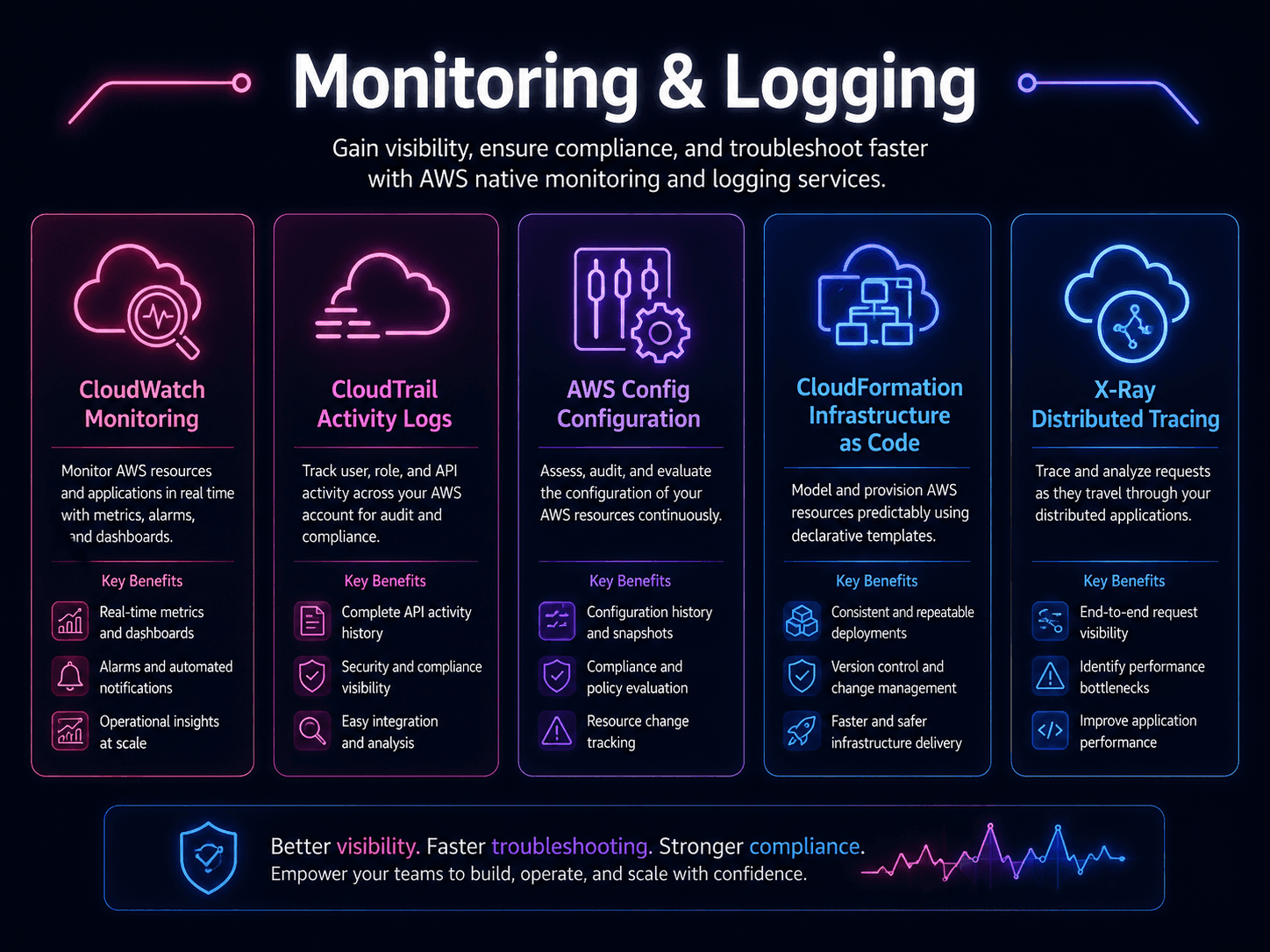
Amazon CloudWatch collects metrics (numbers over time, like CPU usage), logs (records of what happened), and lets you set alarms that notify you when a metric crosses a threshold you define, such as "CPU usage above 90% for five minutes." Choose CloudWatch when you want to know how resources are behaving right now.
AWS CloudTrail records API activity, meaning every request made to change or access something in your account, whether from a person in the console or a script calling AWS directly. CloudTrail answers "who did what, and when?" Check it after something changed unexpectedly and you need to trace the source.
AWS Config tracks the configuration of your resources over time and flags when one drifts from a rule you defined, such as "no storage bucket should be publicly accessible." Where CloudTrail tells you about an action, Config tells you about the resulting state.
AWS Organizations lets you manage multiple AWS accounts under one umbrella, which matters because companies often separate accounts by team or environment (for example, testing versus production) instead of using a single account.
Service control policies (SCPs) are rules attached in AWS Organizations that set the maximum permissions allowed across accounts. An SCP does not grant access; it limits what even an administrator can do, like a campus-wide policy no club can override.
AWS Control Tower helps you set up a multi-account environment with sensible governance defaults already in place, instead of configuring every guardrail from scratch.
AWS Artifact is a self-service portal for downloading AWS's own compliance reports and agreements, useful when you need documentation proving how AWS secures its infrastructure, for example for an auditor.
AWS Trusted Advisor reviews your account against best practices across categories like cost, performance, and security, flagging things such as unused resources or overly open settings.
A practical example
Hypothetical scenario: A university IT department manages AWS accounts for three different student-run projects. They use AWS Organizations to keep each project in its own account, with an SCP that blocks any account from disabling logging. In each account, CloudTrail records every configuration change, CloudWatch alerts the team if a server's error rate spikes, and AWS Config flags any storage bucket that becomes publicly accessible. When a professor asks for proof that student data is handled securely, the IT lead pulls the relevant report from AWS Artifact instead of writing one from scratch.
Do not confuse these concepts
- CloudWatch watches performance and health in near real time (metrics, logs, alarms).
- CloudTrail records a history of account activity and API calls (who did what, and when).
- AWS Config tracks resource configuration over time and checks it against rules you define.
- AWS Artifact is a library of AWS's own compliance documents, not a tool that monitors your account at all.
A simple way to keep these apart: CloudWatch is about performance, CloudTrail is about actions, Config is about state, and Artifact is about paperwork.
Cloud Practitioner exam connection
The exam expects you to recognize which service fits a described scenario rather than memorize every feature. Tracing who deleted a resource points to CloudTrail. Checking whether settings match a required rule points to AWS Config. An alert triggered by high CPU usage points to CloudWatch. Also recognize AWS Organizations and service control policies as the tools for managing permissions across multiple accounts, since multi-account governance is a recurring exam theme.
Quick recall
The three services below get confused more than any other trio on this exam. Learn them by the question each one answers.
| Service | The question it answers | Memory hook |
|---|---|---|
| Amazon CloudWatch | "How is it performing right now?" | Watch the metrics and alarms |
| AWS CloudTrail | "Who did that, and when?" | A trail of who walked through |
| AWS Config | "How is this resource configured, and did it change?" | Configuration state over time |
| Governance service | Its one job |
|---|---|
| AWS Organizations | Manage many AWS accounts together, with consolidated billing |
| Service control policies (SCPs) | Set the maximum permissions allowed in an account |
| AWS Control Tower | Set up a secure, multi-account environment using best practices |
| AWS Artifact | Download AWS compliance reports such as SOC and ISO |
| AWS Trusted Advisor | Automated recommendations across cost, performance, security, fault tolerance, and service limits |
| AWS Audit Manager | Continuously collects evidence for audits |
| AWS Health Dashboard | Tells you whether the problem is on AWS's side |
Common exam traps
- CloudWatch versus CloudTrail is the most-missed pair in Domain 2. Performance and metrics are CloudWatch. API calls and user activity are CloudTrail. If the question asks who deleted the bucket, it is CloudTrail every time.
- AWS Config is not CloudTrail. CloudTrail records the action. Config records the resulting configuration and whether it drifted from your rules.
- SCPs do not grant permissions. They set a ceiling. A user still needs an IAM policy granting access; the SCP only limits what the account is allowed to grant.
- Organizations is for accounts, IAM is for identities. Both are "permissions," but Organizations operates one level up.
- Trusted Advisor is not just cost. It spans five categories. The free tier offers a limited set of checks; full access requires a higher Support plan.
- Artifact is where you get compliance documents, not where you become compliant.
- Health Dashboard versus CloudWatch. If a scenario asks whether an AWS service outage is affecting you, that is AWS Health, not CloudWatch.
Key takeaways
- Monitoring, compliance, and governance are distinct but connected: monitoring watches behavior, compliance proves you follow rules, and governance sets the guardrails that prevent rule-breaking in the first place.
- CloudWatch, CloudTrail, and AWS Config each answer a different question: performance, activity history, and configuration state.
- AWS Organizations with service control policies and AWS Control Tower help apply consistent guardrails across multiple AWS accounts instead of managing each one separately.
Check your understanding
- Your team needs to find out exactly who deleted a database last Tuesday. Which service should you check first?
- What is the difference between what CloudWatch monitors and what AWS Config monitors?
- Why might a company with several student projects choose AWS Organizations instead of keeping everything in one AWS account?
Suggested answers
- AWS CloudTrail, because it records API activity including who performed an action and when.
- CloudWatch focuses on performance and operational health (metrics, logs, alarms), while AWS Config focuses on whether a resource's configuration matches defined rules over time.
- Separate accounts through AWS Organizations isolate projects from each other, limit the damage of a mistake in one account, and allow consistent guardrails (service control policies) to be applied across all of them at once.